Pay Calendar Setup
Role
Product designer
Collaboration
Product Management, Engineering, Legal & Compliance, UX Research
Constraints
Payroll and labor law compliance, Legacy system migration (PeopleSoft decommissioning)
Overview
This project focused on redesigning Pay Calendars as part of TriNet’s transition away from PeopleSoft. Previously, payroll schedules were configured through legacy systems and manual processes, making them difficult to understand, update, and validate.
The goal was to translate complex payroll rules, such as pay frequencies, pay dates, and compliance constraints, into a self-serve admin experience that felt clear, predictable, and safe, while reducing the risk of payroll and legal errors.
Pay Calendar Setup at a Glance
Admins can view existing pay calendars, track upcoming pay periods, and create new calendars from a single entry point.

Designing the Pay Calendar form
Admins create pay calendars through this form to define how and when employees are paid.
Why the form was hard to design:
The form was dynamic, meaning one choice could change many other fields, so every input had to be carefully ordered and connected.
What looks like one flow actually contains multiple branching flows, including dependencies on Workweek setup and employee assignment.
Invalid or non-compliant schedules had real payroll and legal consequences, so the form was designed to prevent errors instead of fixing them later.
The design went through multiple legal and compliance reviews, which shaped how rules, defaults, and constraints were built into the experience.
Configuring Partial Pay Periods
To support new company onboardings and mid-cycle payroll transitions, users can create a partial pay period. For semimonthly pay frequencies, the form automatically calculates the start and end dates for subsequent pay periods, as well as the corresponding pay dates, reducing manual setup and ensuring payroll schedules remain accurate.
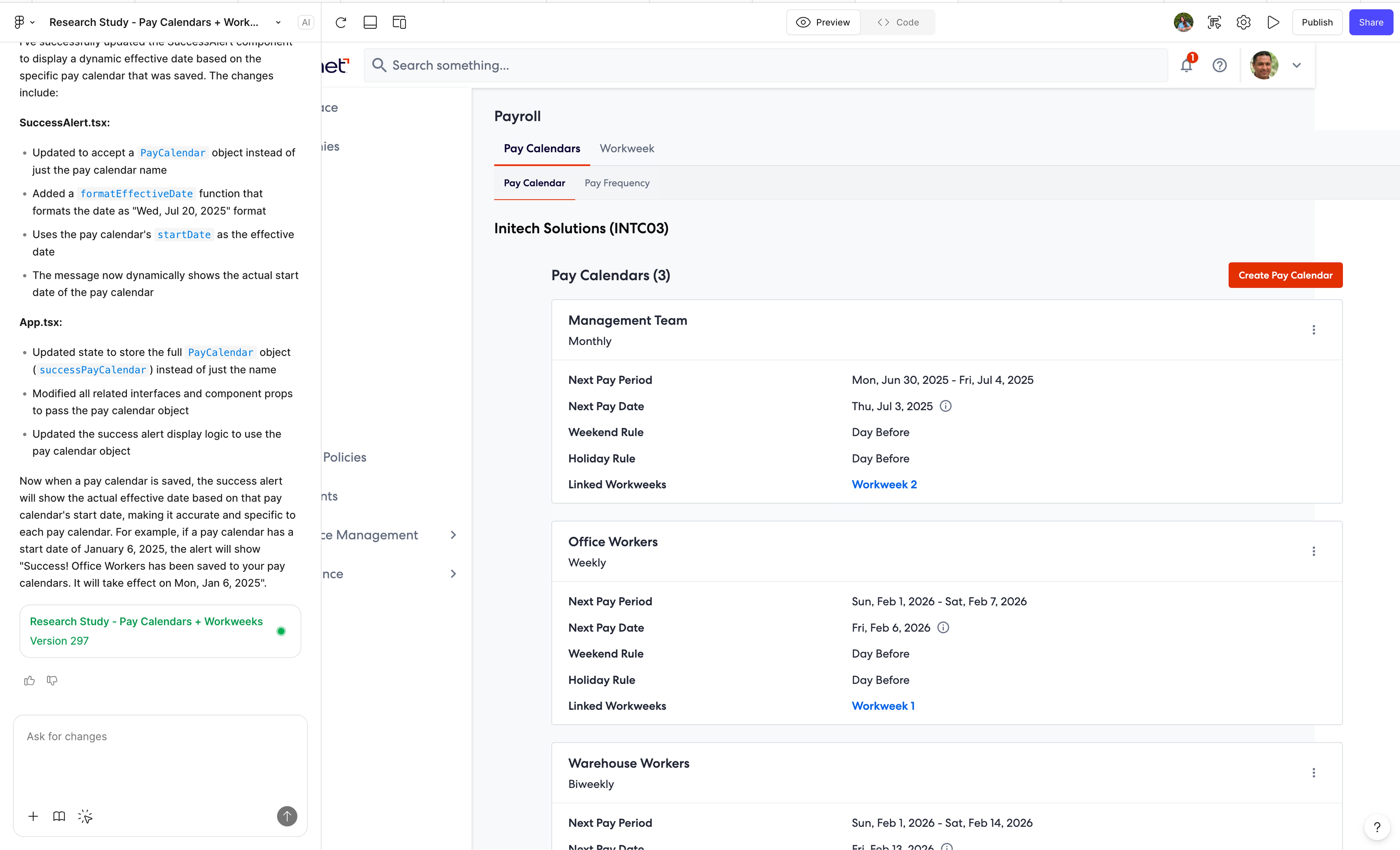
Prototyping with Figma Make
To support usability testing, we built a high-fidelity prototype using Figma Make that allowed users to interact with realistic payroll logic rather than static screens. The prototype went through 200+ iterations, enabling us to simulate calculated dates,
Insights from Usability Testing
Usability testing revealed where complexity caused hesitation and what helped users feel confident completing setup.
Clear pay outcomes build confidence
Users felt more confident when pay periods and pay dates were calculated automatically and updated in real time, reducing setup guesswork.
Immediate feedback reduces setup anxiety
Seeing pay period results update instantly as inputs changed helped users understand the impact of their selections without needing to submit or backtrack.
Terminology clarity matters more than flexibility
Users struggled when payroll terminology was unclear, even when the system was flexible, making inline explanations and defaults more valuable.
Reducing visible choices improves completion
Breaking the setup into focused steps and reducing visible options at each stage made the form feel more manageable and increased completion confidence.