UX designer, end to end design
Accessibility CoE partners, product and engineering
Enterprise environment, legacy system considerations, accessibility-first requirements
Overview
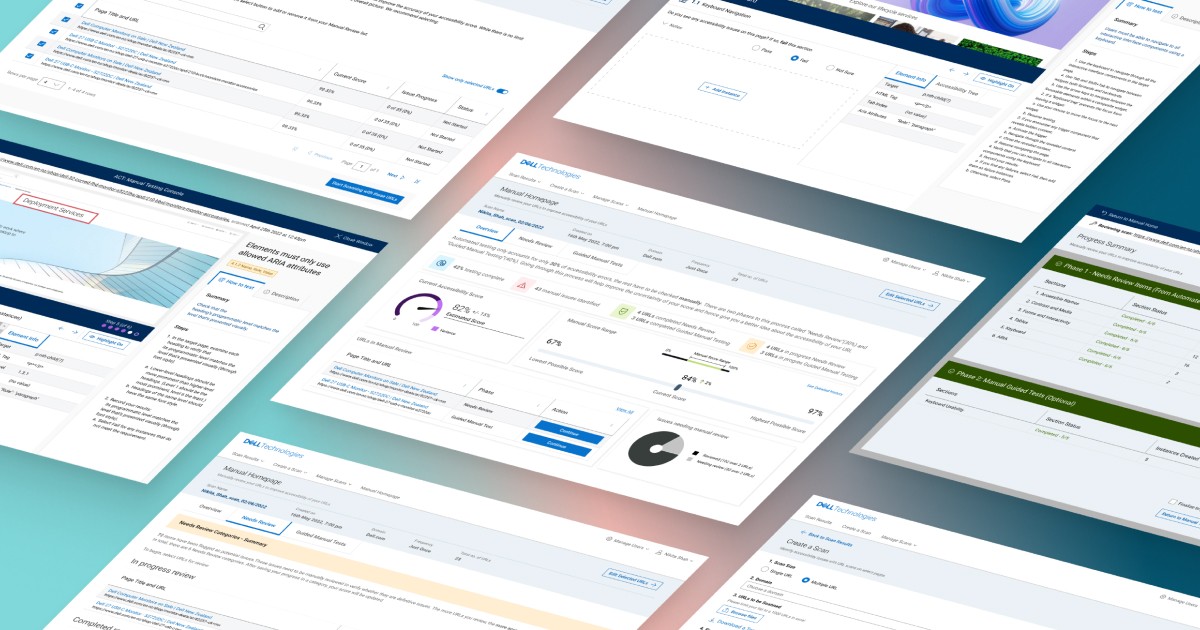
The Accessibility Compliance Tool (ACT) allows users to check the accessibility of their site and is used by the Accessibility COE team to monitor accessibility compliance across all teams at Dell.
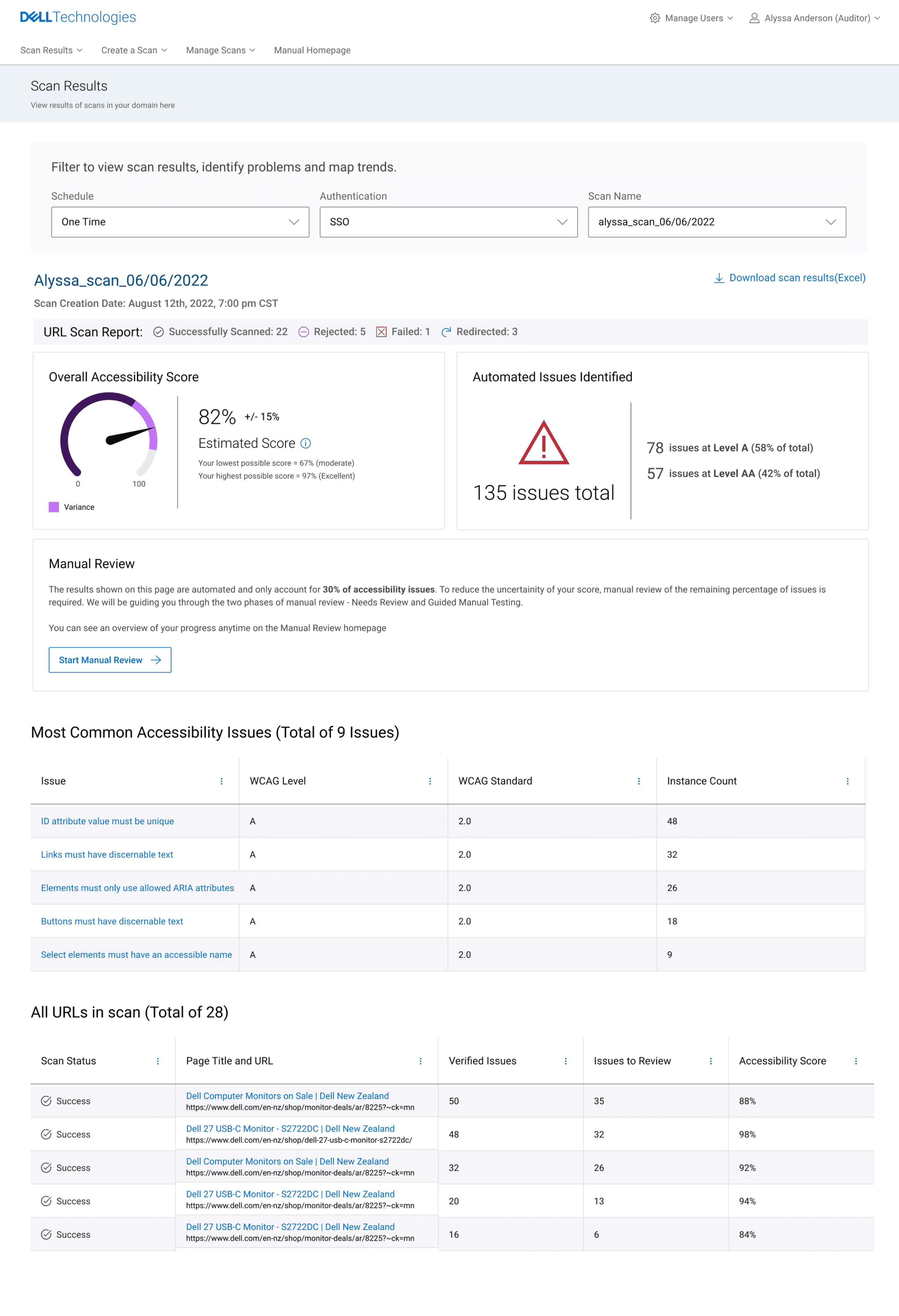
Users are not able to get the complete score since only about 30% of accessibility issues can be tested automatically through the tool and the rest require manual testing.
Initial Design Direction
Given that only a portion of accessibility issues can be detected automatically, the initial focus was on helping users understand the limitations of the existing accessibility score and providing a clear path to address what could not be captured through automation alone.
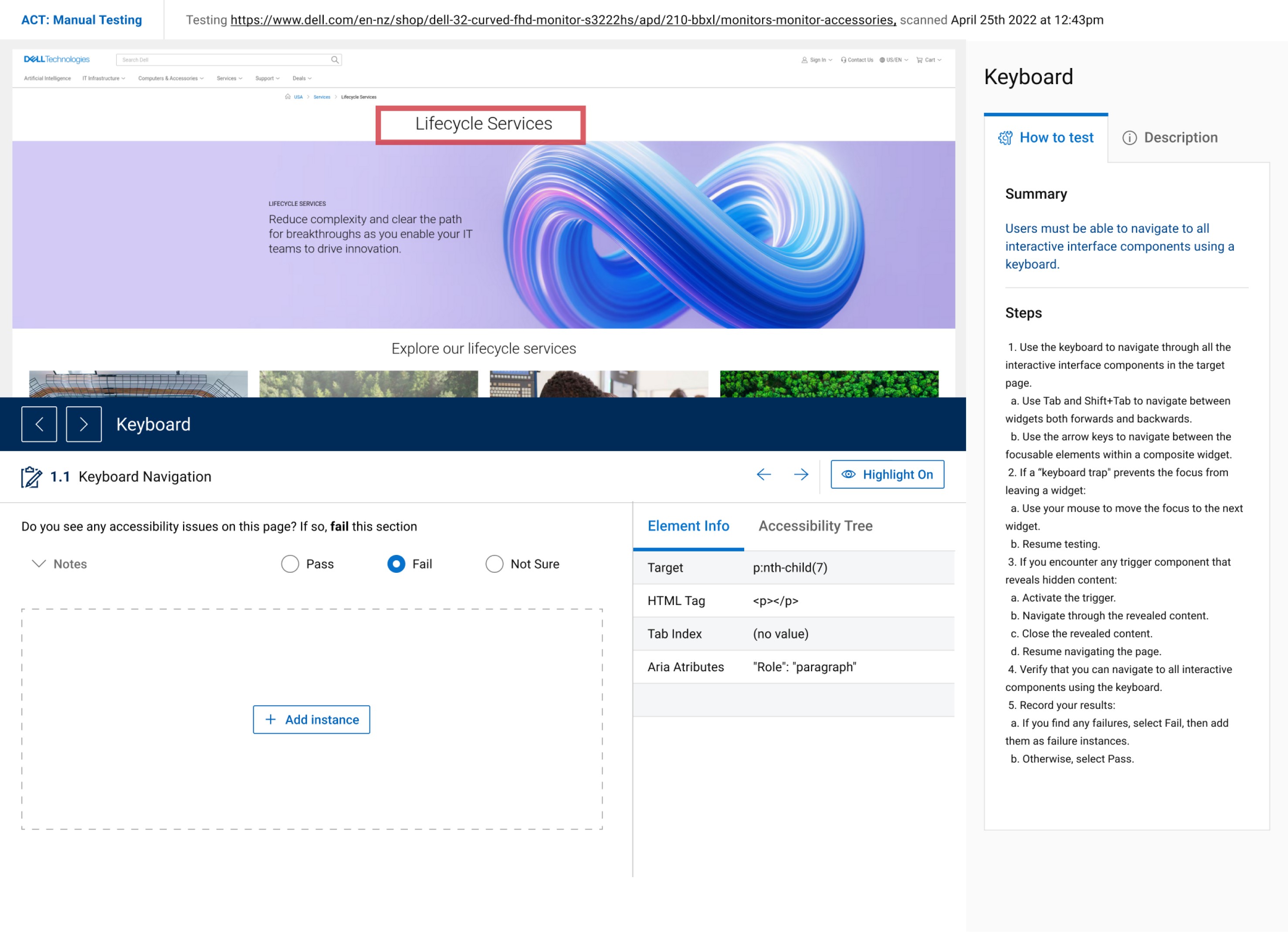
The goal of the MVP was not to redesign the entire experience, but to introduce a structured manual testing flow that could complement automated results and make the overall score more meaningful.
Product Goals:
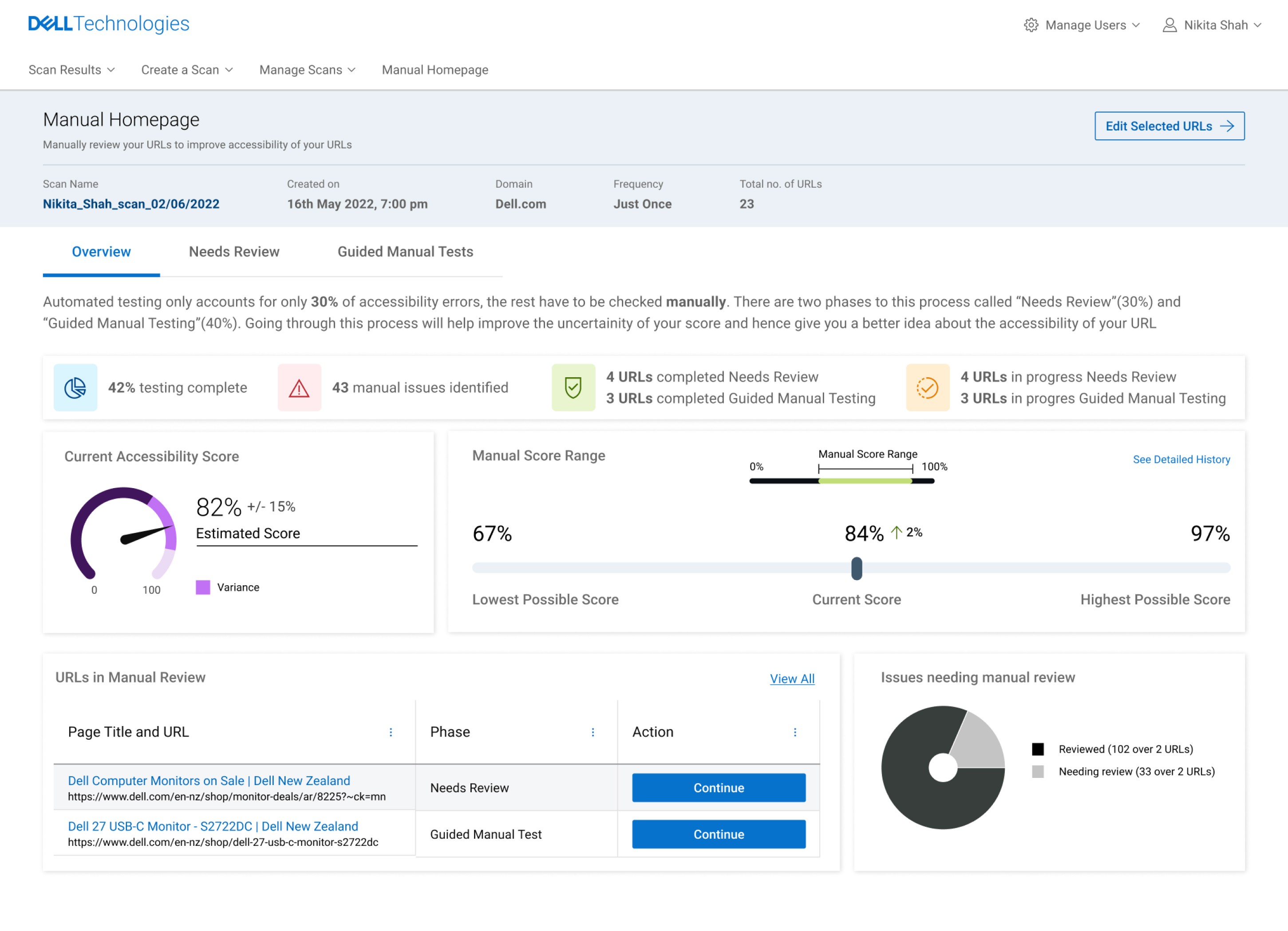
Clearly communicate the uncertainty of the accessibility score and what it represents.
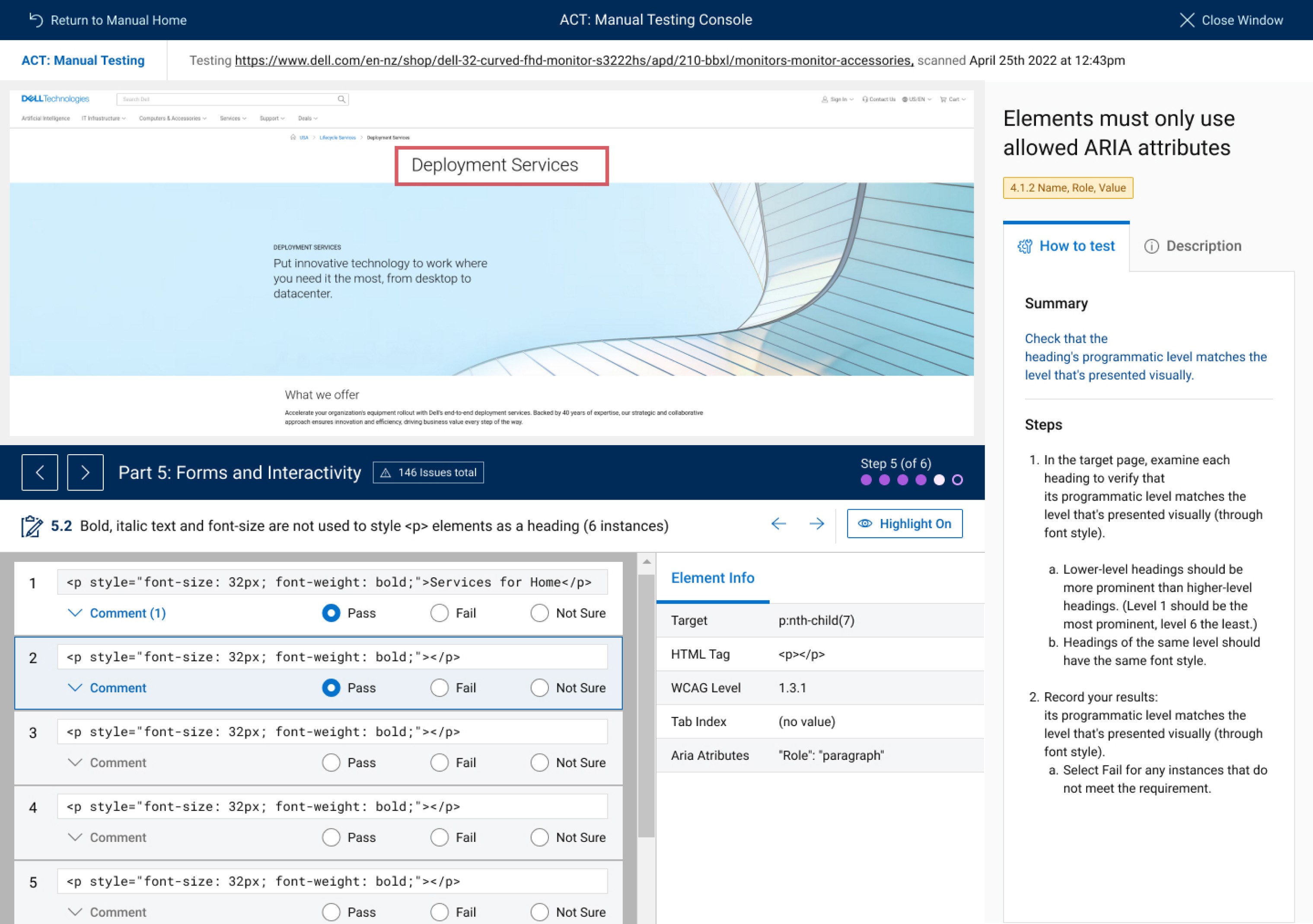
Provide a guided manual testing flow to help users address remaining accessibility requirements.
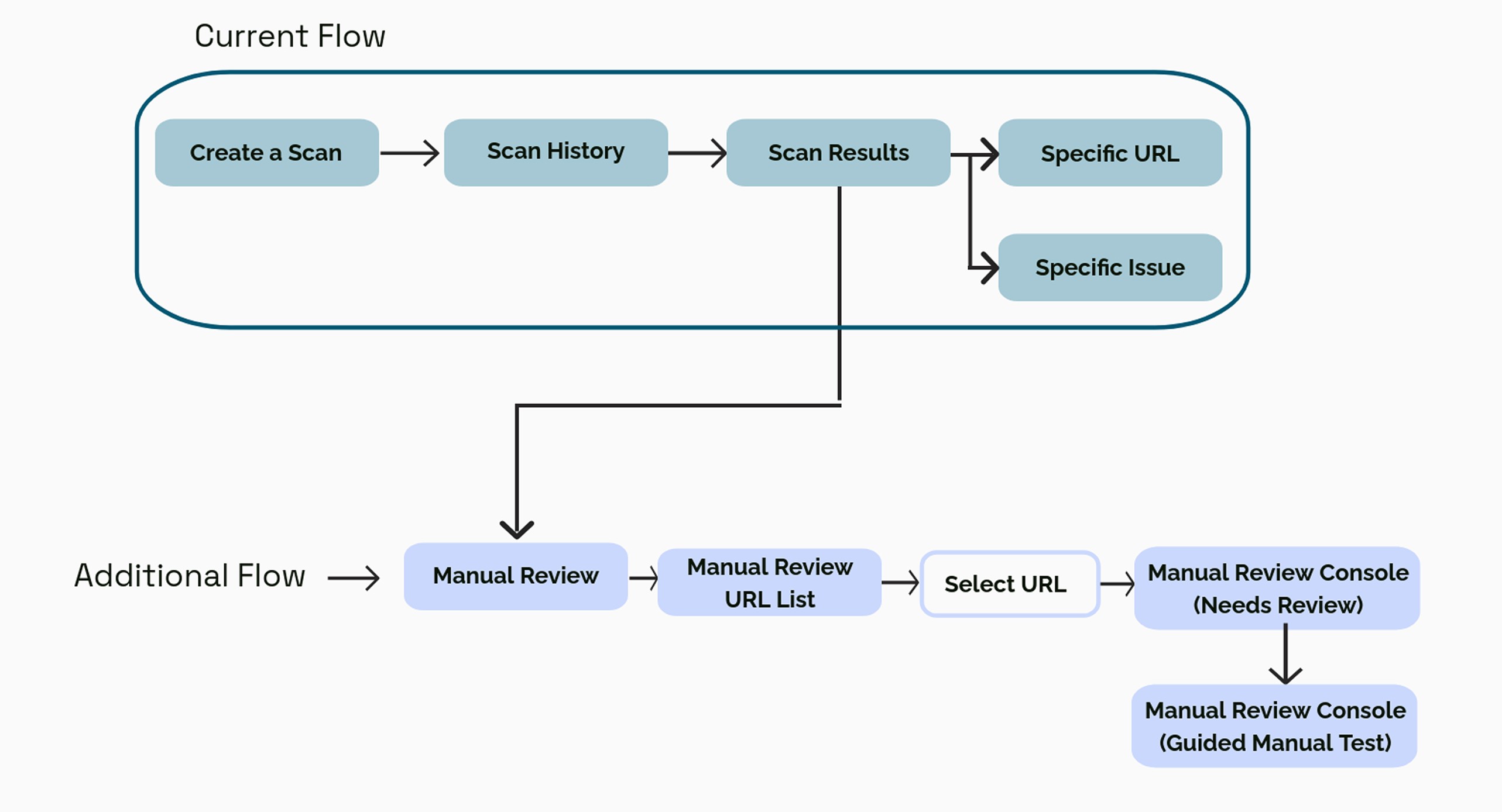
Integrate manual testing into the existing ACT workflow without disrupting established usage patterns.
Validation and Key Insights
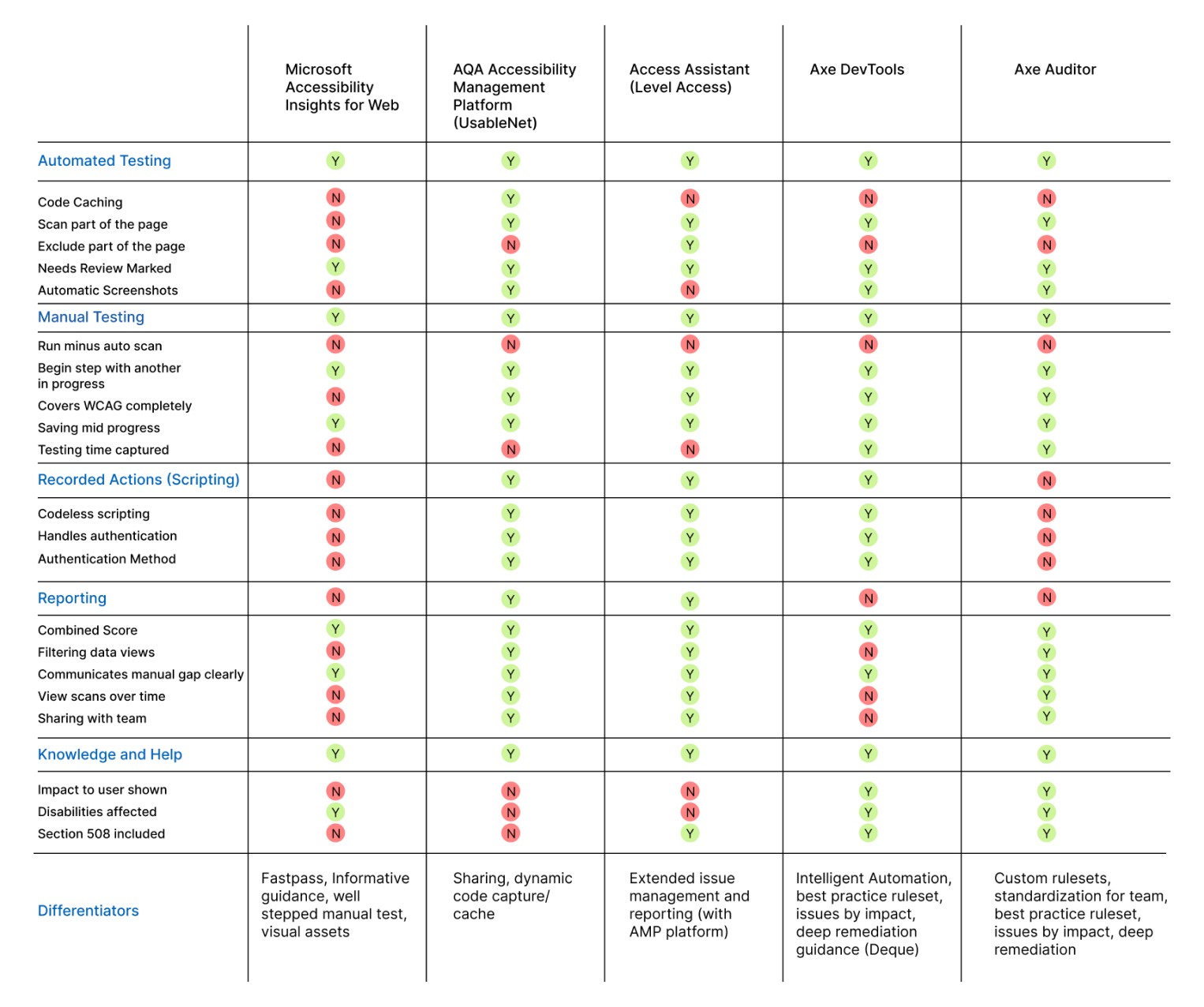
We validated early versions of the manual testing flow through usability testing with accessibility practitioners and internal stakeholders. Feedback from these sessions was synthesized using affinity mapping and used to iteratively refine the structure, language, and navigation of the flow.
Insights:
Users generally understood the accessibility score, but struggled to interpret what it represented in relation to manual testing progress and remaining work.
Terminology within the tool caused confusion, particularly around distinctions like manual vs automated, verified vs reviewed, and pass/fail outcomes.
Visual hierarchy and UI cues did not always align with user expectations, making it difficult to perceive progress and next steps.
Navigation within the manual testing flow felt unclear, especially when moving between the homepage and in-progress testing states.
Certain interactions and affordances were misinterpreted, leading to unintended actions or hesitation.
Manual Testing Flow (Main Designs)
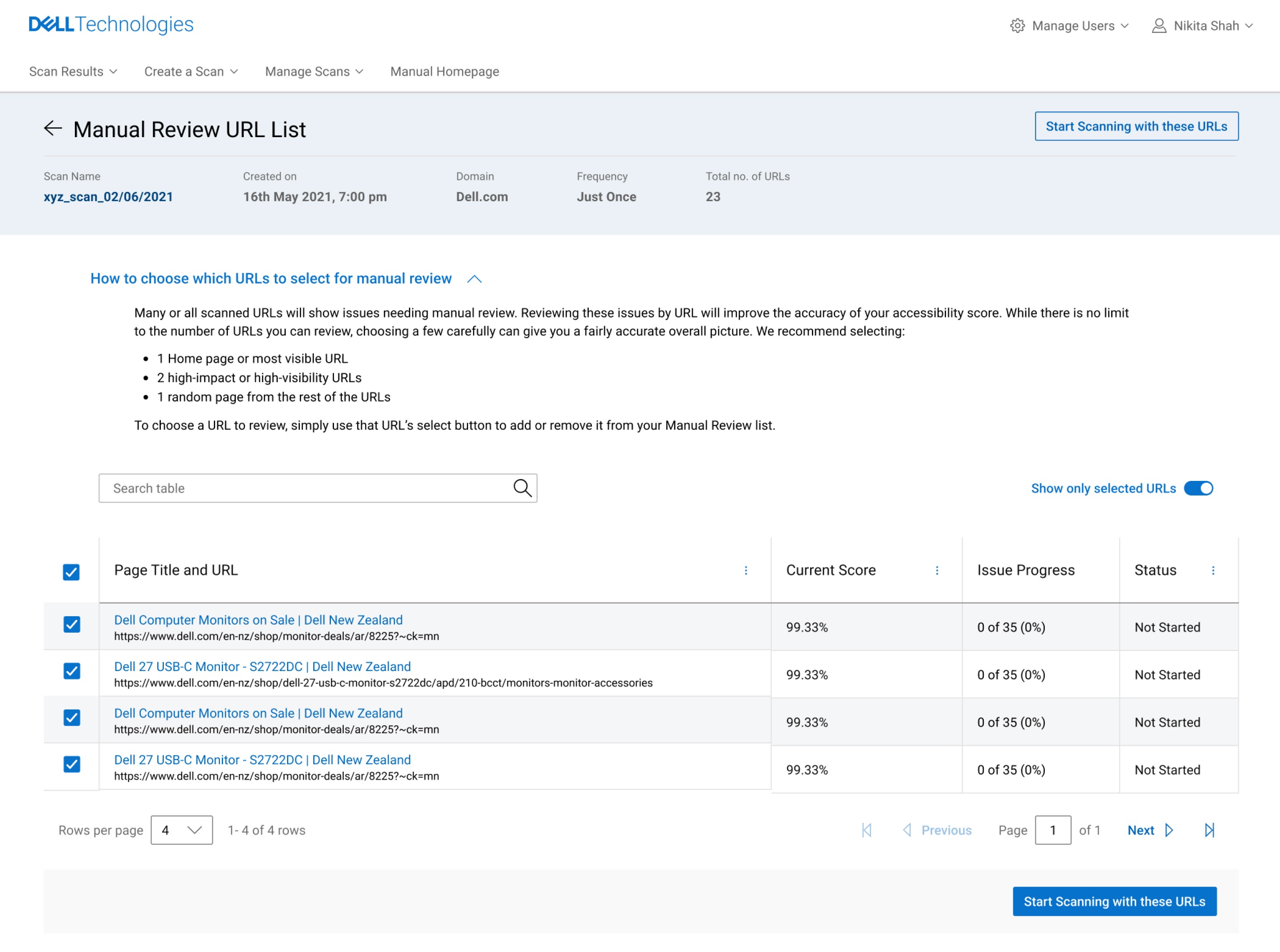
Choosing URLs for Testing
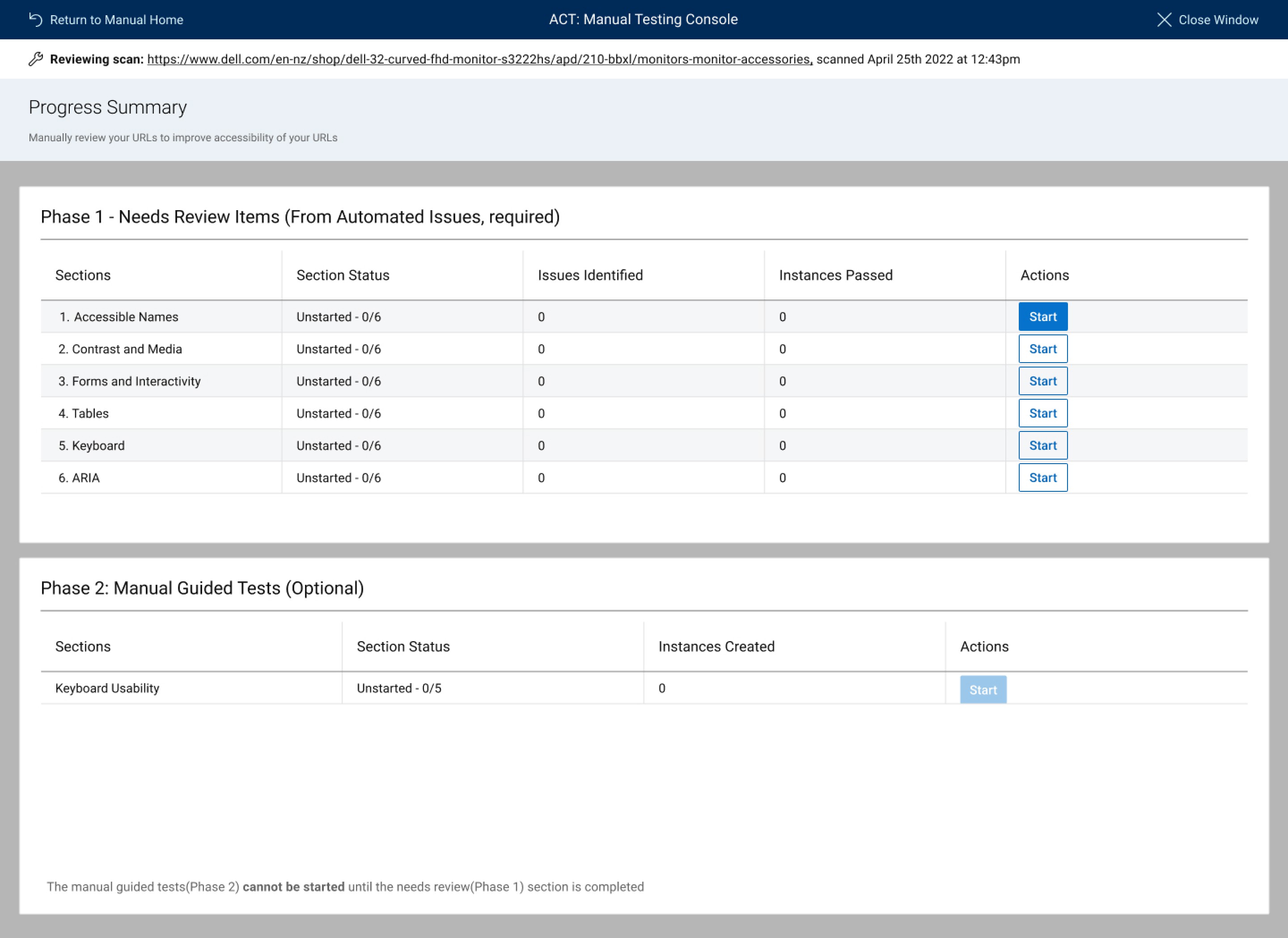
Main Phases for testing
Impact and Feedback
Because this tool supports accessibility testing, accessibility considerations shaped both the content and structure of the manual testing flow. The experience was designed to reduce cognitive load, avoid ambiguous language, and support repeatable, auditable testing.
Clear, descriptive language was used to explain requirements and outcomes.
Information was structured to support keyboard navigation and screen reader use.
Visual indicators were supplemented with text to avoid reliance on color alone.
20%
Increase in accessibility score
60+
active users for the manual phase
70%
Net Promoter Score
Reflections
The designs were initially created in DDS 1 (earlier design system). The ask was to shift it to DDS 2 (new design system), however there were a lot of development issues with this change, and we had to go back and forth a lot between the two systems.
The scope of MVP 1 kept changing and it was hard keeping track of what needed to be done.
Team members were constantly changing which slowed down progress.